
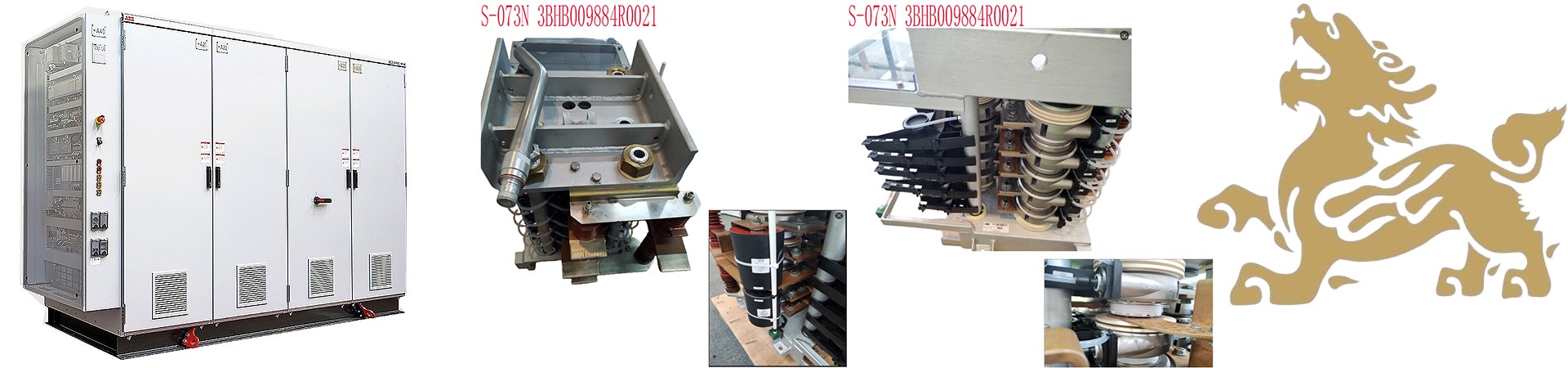

3BHE039724R0C3D PPD513 A0C-100440 AC800PEC Module Replacement Guide
Core Process: Safety Preparation → Power Off and Discharge → Module Removal → New Module Installation → Configuration and Testing → Maintenance and Recording. Specific steps and precautions are as follows:
1. Safety Preparation and Power Off Operation
Power Off and Discharge:
Disconnect the controller input power supply (e.g., circuit breaker/isolating switch) and wait at least 10 minutes to ensure the capacitors are completely discharged. Use a multimeter to check the DC bus voltage (e.g., P+, N- terminals); it should be below 36V to confirm there is no residual charge.
Hang a “Do Not Close” warning sign to prevent accidental operation and ensure no other personnel are in the maintenance area.
Protective Measures:
Wear an anti-static wrist strap (1MΩ grounding resistance) and insulating gloves during operation to avoid electrostatic discharge damaging the module.
Operate on a clean, dry workbench, using a torque wrench (accuracy ±5%), hot air gun, LCR bridge, and other specialized tools.
Tool Preparation: Prepare specialized tools (such as screwdrivers, fiber optic patch cord pliers), dust caps, dust plugs, and module compatibility verification tools.
2. Module Removal and Inspection
Old Module Removal:
Disconnect the drive cables in sequence (mark phases A/B/C or U/V/W), loosen the module mounting screws (usually M4-M6, torque reference manual, e.g., 8-10 N·m).
Disconnect all connections (such as fiber optic, Ethernet, power cables), and mark cable locations to avoid future misconnections.
Carefully remove the module, clean any residual thermal paste and debris from the heatsink surface, and check the module surface for burn marks, bulges, or cracks. Check if the thermal paste between the heatsink and the module has dried and carbonized.
Configuration Recording: Back up the parameters of the old module (such as IP address, communication protocol, I/O mapping), which can be exported using ABB Control Builder M or System 800xA software.
Fault Diagnosis:
Electrical Testing: Use a multimeter to test key module parameters (e.g., IGBT C-E forward voltage drop 0.3-0.7V, reverse infinite; freewheeling diode D-C voltage drop 0.5-0.8V).
Drive Waveform Testing: After powering on (without connecting the motor), use an oscilloscope to test the driver board pulse signal. The amplitude should be ≥15V, the low level ≤0V, and the pulse width should match the set switching frequency (e.g., 4-15kHz).
3. New Module Installation and Configuration
Installation Steps:
Align the new module with the mounting holes and tighten the screws 2-3 times diagonally (to avoid stress concentration causing substrate cracking). The torque should meet the manual requirements (e.g., 10N·m).
Tighten the driver cable, ensuring the plug latches are secure; connect the main circuit cables (input R/S/T, output U/V/W). The screw torque must meet the terminal marking values (e.g., 8N·m for M6 terminals).
Parameter Configuration:
Confirm that the new module model, rated voltage (e.g., 1200V), rated current (e.g., 450A), and trigger threshold (e.g., Vge(th) = 4-6V) are consistent with the original module. Some models require matching through inverter parameter settings (e.g., for ABB ACS880, select the IGBT model in parameter group 99.04).
For modules with temperature sensors (e.g., built-in NTC), check if the sensor wiring is correct and activate the inverter’s temperature monitoring function (e.g., set parameter 35.01 to “Allow”).
4. Testing and Verification
Insulation and Circuit Testing:
Use a 500V megohmmeter to measure the insulation resistance between the module input/output and the heatsink. It should be >10MΩ; if it is less than 2MΩ, check if the installation is damp or contaminated with thermal grease.
Use a micro-ohmmeter to measure the continuity resistance of each bridge arm of the module. The three-phase resistance deviation should be <5% to ensure good contact.
Functional Testing:
Short-circuit the inverter output terminals (U/V/W). After powering on, observe if the panel displays “Module Fault” (e.g., F0022, F0023). Measure the DC bus voltage to ensure it is normal (e.g., approximately 530V DC when the input is 380V).
Manually trigger the inverter to run (frequency set to 5Hz). Use an oscilloscope to check if the drive pulses are normal, with consistent amplitude and width across all phases and no distortion.
Connect the motor and run it under no-load for 5 minutes. Check if the three-phase output current is balanced (deviation <10%) and the module temperature rise rate is <5℃/min. Gradually load to the rated load and observe if overcurrent (F0001), overvoltage (F0002), or overheating (F0004) is reported.
5. Maintenance and Records
Maintenance Recommendations:
Record the replacement date, model, fault symptoms, and test data for easy tracing of maintenance history. Damaged modules can be sent back to ABB for testing to analyze failure modes (e.g., overcurrent, overheating, voltage surge).
New modules must be stored in anti-static packaging bags at an ambient temperature of 5℃~35℃ and humidity <60% RH, avoiding direct sunlight. For long-term storage (>6 months), capacitor activation is required (apply low voltage for 30 minutes, gradually increasing to the rated voltage).
Precautions:
Do not disassemble the packaged module yourself (e.g., solder IGBT chips), as this may damage the internal vacuum seal or cause pin stress breakage.
Non-original modules (compatible parts) may have parameter differences. It is recommended to use original ABB parts first (e.g., models with the suffix “-B11” indicate refurbished original parts).
If module damage is accompanied by a driver board or main control board failure, the relevant circuit boards must be repaired or replaced simultaneously to avoid further damage after replacing only the module.
Key Precautions:
Safety Standards:
Power-off Operation: Completely disconnect power before replacement and verify that there is no residual voltage; avoid hot-plugging the module.
Anti-static Measures: Wear anti-static equipment at all times and avoid direct contact with the module circuitry.
Environmental Protection: In dusty, humid, or corrosive environments, an IP67/NEMA 4X protection rating enclosure must be used, and industrial safety standards such as API 670 must be followed.
Compatibility and Configuration
Module Matching: The new module model (e.g., 3BHE039724R0C3D) must be consistent with the parameters of the original module (e.g., voltage, communication protocol, number of I/O points) to avoid incompatibility leading to functional abnormalities.
Configuration Recovery: Ensure that the backed-up configuration file is compatible with the new module. If necessary, contact ABB technical support for official configuration guidelines.
Firmware Version: Check whether the firmware version of the new module is compatible with the system to avoid malfunctions caused by version conflicts.
Operating Details
Cable Management: Avoid excessive bending or pulling of cables; ensure connections are secure and free from short-circuit risks.
Heat Dissipation Maintenance: After replacement, clean the module and surrounding area of dust to ensure unobstructed heat dissipation.
Troubleshooting: If ERR/BUS alarms occur, use diagnostic tools to analyze the fault codes and locate hardware or communication problems.
Special Scenario Handling
Explosion-proof Areas: In explosion-proof certified environments (e.g., models with the -CN suffix), explosion-proof installation specifications must be followed, and dedicated explosion-proof connectors must be used.
High-Temperature Environments: In high-temperature environments (e.g., ≥85℃), high-temperature resistant models must be selected, and the cooling system must be ensured to function properly.
Remote Diagnostics: Remote fault diagnosis and protocol conversion can be achieved through ABB diagnostic software (e.g., the cMT-G01 gateway), improving maintenance efficiency.
Summary: Replacing the 3BHE039724R0C3D PPD513 A0C-100440 AC800PEC module requires strict adherence to safety specifications, model matching, process standards, and testing and verification procedures. It is recommended to refer to ABB official documentation or contact technical support for detailed configuration guidelines for specific models to ensure stable system operation.
Recommended models:
PFVK 135 3BSE007135R1
PFRL101C 2.0KN 3BSE002964R002
PFSA103B 3BSE002487R1
PFXA401S 3BSE024388R2
PPD103801 3BHE020455R0001
PPD513AOC-100440 3BHE039724R0C3D
PPD517A3011 3BHE041576R3011
PPD517 3BHE041576R3011
GFD563A102 3BHE046836R0102
GFD233A101 3BHE022294R0101
GFD563A101 3BHE046836R0101
GFD563A102 3BHE046836R0102
GF D563 3BHE046836R010
more……
he blog was how do i say it… relevant, finally something that helped me. Thanks
I was examining some of your articles on this internet site and I conceive this site is really instructive! Keep on posting.