
Description
IS200TTURH1CFD IS230TNTRH1C – Turbine Dedicated Main Trip Board is in stock and shipped the same day.
IS200TTURH1CFD IS230TNTRH1C – Turbine Dedicated Main Trip Board is in unused and rebuilt condition.
For the best deals on IS200TTURH1CFD IS230TNTRH1C – Turbine Dedicated Main Trip Board, please contact us and we will respond to you within 24 hours.
About IS200TTURH1CFD IS230TNTRH1C
This IS200TTURH1CFD IS230TNTRH1C General Electric Printed Circuit Board is better defined as a terminal turbine board according to the functional description specified in its instruction manual and is a member of the Mark VIe series of turbine control systems and turbine control system components. This IS200TTURH1CFD IS230TNTRH1C Printed Circuit Board or simply PCB is actually a modified version of another General Electric PCB; namely IS200TTURH1, with the addition of major C-level functional revision, minor F-level functional revision and D-level single artwork revision. This IS200TTURH1CFD IS230TNTRH1C board is more specifically designed by General Electric Industrial Systems, a subsidiary manufacturer of General Electric responsible for mass production of all products of the Mark VIe turbine control system series.
The IS200TTURH1CFD IS230TNTRH1C is a turbine specific primary trip board developed by GE. It is part of the Mark VI control system. The primary turbine protection input terminal board is an important component that interfaces with the VTUR module and helps in achieving comprehensive turbine protection functions. The PTURH1A is compatible with the turbine terminal board TTURH1C and STUR boards, but is not compatible with DIN rail mounted DTUR or other TTUR boards.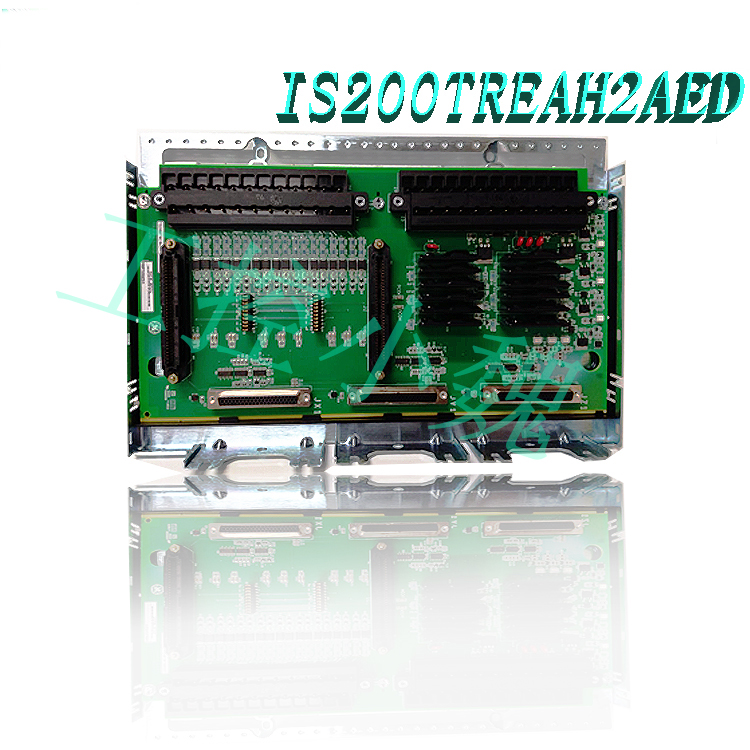
Hardware Tips and Specifications
This IS200TTURH1CFD IS230TNTRH1C Terminal Turbine Board features a series of unique and individual hardware components, and as with any general purpose electrical printed circuit board, these hardware elements are best understood when combined with the functionality of the board to which they belong. The primary intended function of this IS200TTURH1CFD IS230TNTRH1C Terminal Turbine Board is to act as a terminal for a series of 48 input/output connections that are essential to the functionality of its larger VTUR Turbine Control Board assembly. Other functions of this TTUR abbreviation product include its role as a controller for the 52G main breaker relay coil of the aforementioned VTUR assembly.
Now that some of the basic functionality of this IS200TTURH1CFD IS230TNTRH1C board has been described, its product specific hardware content can be further explored. Firstly, this TTUR terminal turbine board does not use any special assembly revisions, as evidenced by its normal IS200 series labeling of the IS200TTURH1CFD IS230TNTRH1C product number. While this is true, it is important to note that this board uses three significant product revisions, including a special F-class second functional revision. Two key hardware elements immediately visible on this IS200TTURH1CFD IS230TNTRH1C product baseboard are its two pluggable terminal blocks, which have been attached to the TTUR baseboard using two screws per terminal block for ease of maintenance. These terminal blocks accept a total of 24 I/O connections per terminal block; clearly core to the specification functionality of this board. In addition to the terminal blocks that are critical to this IS200TTURH1CFD IS230TNTRH1C board configuration, a number of other important hardware components are present, including:.jpg)
Six connector ports with name labels
Shielding strip extends to the left side of this PCB
TTL speed sensor wiring
Factory drilled holes for mounting
Conformal type of PCB protective coating
Input and output configuration
Passive pulse rate devices: The PTTUR accommodates 12 passive pulse rate devices that are strategically placed to sense the gears for accurate measurement of turbine speed. This input is critical for monitoring turbine rotational dynamics.
Voltage signals: The board effectively captures generator voltage and bus voltage signals transmitted from the voltage transformers. These voltage readings are critical for assessing the electrical health and performance of the turbine and associated systems.
125 V DC output: The PTTUR features a dedicated 125 V DC output channel designed to power the main breaker coil for automatic generator synchronization. This feature improves operating efficiency and system reliability during synchronization.
Shaft Voltage and Current Sensors: PTTUR carefully processes inputs from shaft voltage and current sensors to measure induced shaft voltage and current. These measurements provide insight into the mechanical and electrical condition of turbine components.
Relay Configuration
K25 Relay: This relay closes with the K25P and K25A to provide the 125 V DC power required to engage the main circuit breaker (denoted as 52G). This fail-safe mechanism improves system reliability and safety.
Connector Configuration
In the standard configuration, the speed signal line is connected to the VTUR via the JR5 connector, while other critical signals use the JR1 connector. For systems with Triple Modular Redundancy (TMR), the signals are intelligently distributed across multiple connectors, including JR5, JS5, JT5, JR1, JS1, and JT1, ensuring redundancy and fault tolerance..jpg)
Installation
Step 1: Install Terminal Blocks
Securely mount the designated terminal block in the desired location within the system enclosure.
Ensure the board is securely placed and properly aligned for optimal functionality.
Step 2: Insert PTUR I/O Pack
Depending on the system configuration, insert one PTUR I/O pack for simplex operation or three packs for a triple modular redundant (TMR) setup.
Connect the packs directly to the corresponding terminal board connectors.
Step 3: Secure the Pack
Mechanically secure the PTUR I/O pack using the threaded studs located near the Ethernet ports. These studs should be inserted into the mounting brackets specific to the terminal board type. Adjust the position of the brackets to prevent any right-angle forces on the DC62 connector between the pack and the terminal board. This adjustment is typically only required once during the life of the product.
Step 4: Connect the Ethernet Cable
Depending on the system configuration, insert one or two Ethernet cables.
The PTUR pack can operate on either port. If dual connectivity is used, standard practice is to connect ENET1 to the network associated with the R controller.
Step 5: Power On
Apply power to the PTUR battery pack by firmly plugging in the connector located on the side of the pack.
Note that it is not necessary to plug in this connector with the cable powered off
The I/O pack contains an inherent soft-start feature to regulate current surges during power application.
Step 6: Configure
Configure the PTUR I/O pack as required by your system’s requirements and specifications.
Adjust settings and parameters as necessary to ensure optimal performance and compatibility with your overall system architecture.
Before making a purchasing decision on this IS200TTURH1CFD IS230TNTRH1C product, please keep in mind that any information contained on this product page is reminiscent of the unrevised parent IS200TTURH1 printed circuit board as described in the associated instruction manual material.
Frequently Asked Questions about IS200TTURH1CFD IS230TNTRH1C
How was the IS200TTURH1CFD IS230TNTRH1C TTUR functional abbreviation for this product developed?
The TTUR functional abbreviation for this IS200TTURH1CFD IS230TNTRH1C board is intended as a convenient shorthand for the IS200TTURH1CFD IS230TNTRH1C product number, and also indicates the terminal turbine board functional status of this product.
Is there any special revision type for this product?
Yes. This IS200TTURH1CFD IS230TNTRH1C model terminal turbine board adopts the rare F-class functional revision 2, which is different from many similar Mark VIe series board assemblies.
What is the IS200TTURH1CFD IS230TNTRH1C?
It is a turbine-specific main trip board developed by GE under the Mark VI series.
How does the processor board initialize after power is applied in the I/O package?
After power is applied, the processor board goes through a series of actions facilitated by the soft-start circuit. Initially, the available voltage on the processor board gradually increases. Subsequently, the local power supplies are turned on in sequence and the processor reset is deasserted. After that, the processor performs a self-test routine and loads the application code specific to the I/O package type from flash memory.
How does the application code ensure compatibility with the I/O package components?
The application code reads the board ID information to verify that the application code, acquisition board, and terminal board are properly matched. This verification process ensures that the components are configured correctly and compatible for seamless operation.
What steps are taken to establish network communications after power is applied?
After completing the initialization procedure, the processor attempts to establish Ethernet communications. This process begins with requesting a network address, which is achieved through the industry-standard Dynamic Host Configuration Protocol (DHCP). The unique identification read from the terminal board facilitates this communication setup.
What tasks does the processor perform after Ethernet initialization?
After successfully completing Ethernet initialization, the processor will continue to program the onboard logic, execute the loaded application, and enable the acquisition board to begin its operational functions. This comprehensive process ensures that the I/O packages within the system operate efficiently and effectively.
All products on this website are special products, and the market prices have been fluctuating.
Specific quotations are subject to customer service. Because the products are new products, the prices are not real.
Please confirm the model and product, price and other details with customer service before placing an order. The website has been used.
New ones are on sale. Please contact customer service for communication.
Related product recommendations:
IS230TNRLH1B
IS230JPDGH1b
IS230TNTRH1C
GE IS230TNTRH1C
GE IS230SNRTH2A
IS230SNRTH2A
IS230SNRLH2A
GE IS230TNEAH2A
GE IS230SNAIH4A
IS230TCATH1A
IS220PDOAH1A
IS220PDIAH1B
GE IS220UCSAH1A
IS220PDIOH1A
IS220PPROS1B
IS220PPDAH1A
IS220YSILS1B
IS220YSILS1A
IS220YVIBS1A
IS220YTURS1A
more……
-300x300.jpg)
admin –
This IS200TTURH1CFD IS230TNTRH1C General Electric Printed Circuit Board is better defined as a terminal turbine board according to the functional description specified in its instruction manual and is a member of the Mark VIe series of turbine control systems and turbine control system components. This IS200TTURH1CFD IS230TNTRH1C Printed Circuit Board or simply PCB is actually a modified version of another General Electric PCB; namely IS200TTURH1, with the addition of major C-level functional revision, minor F-level functional revision and D-level single artwork revision. This IS200TTURH1CFD IS230TNTRH1C board is more specifically designed by General Electric Industrial Systems, a subsidiary manufacturer of General Electric responsible for mass production of all products of the Mark VIe turbine control system series.
admin –
This IS200TTURH1CFD IS230TNTRH1C Terminal Turbine Board features a series of unique and individual hardware components, and as with any general purpose electrical printed circuit board, these hardware elements are best understood when combined with the functionality of the board to which they belong. The primary intended function of this IS200TTURH1CFD IS230TNTRH1C Terminal Turbine Board is to act as a terminal for a series of 48 input/output connections that are essential to the functionality of its larger VTUR Turbine Control Board assembly. Other functions of this TTUR abbreviation product include its role as a controller for the 52G main breaker relay coil of the aforementioned VTUR assembly.
admin –
Detailed Instructions for Using the Main Trip Board of IS200TTURH1CFD and IS230TNTRH1C Turbines
I. Installation and Wiring Specifications
IS200TTURH1CFD Installation Steps
DIN Rail Installation: Must share a 35mm × 7.5mm rail with the connecting carrier (NIU). Ensure the rail has a conductive, unpainted surface for effective grounding. During installation, the latch must be in the unlocked state. Align the connectors and press down until the latch is in place, then turn the latch to the locked position.
Power Module Configuration: When installing the power module (e.g., SD821/SD822), check the input voltage (24V DC ± 5%) to avoid common-cause faults; the spare battery (4943013-6) needs to have its capacity checked periodically (lithium battery 3.6V/900mAh).
Jumper Settings: Do not modify jumper positions while power is on. Refer to the notes on pages 2-38 of the VersaMax manual (GFK-1504K) to ensure that “the carrier cannot connect the power or unplug the connector.”
IS230TNTRH1C Installation Steps
Plug-and-Play Design: Supports DIN rail mounting. Requires use with compatible modules (such as the IS230SNAIH4A input module). Ensure proper grounding to avoid electromagnetic interference.
Module Connection: Communication between modules is achieved via RCU-Link cable (TK851) or CEX bus extension cable (TK850). Supports protocols such as PROFIBUS DP and Modbus TCP.
II. Configuration and Commissioning Procedures
IS200TTURH1CFD Configuration Method
Communication Protocol Settings: Supports protocols such as EtherCAT and Profinet. Generator synchronization control is achieved through hardware connection. An HMI/SCADA system must be configured to display speed, voltage, and phase data. Closed-loop control is supported.
Redundant Architecture Configuration: Dual-CPU hot standby design, fault switching time <50ms, requires setting program, data, and clock three-level synchronization via Control Builder M software.
IS230TNTRH1C Configuration Method
Control Logic Programming: Define control logic and alarm thresholds via Control Builder M software, supporting Triple Modular Redundancy (TMR) voting mode; expandable remote I/O (e.g., S800 series modules).
Firmware Upgrade: Ensure the controller firmware version matches the Control Builder version. Upgrade via serial cable (COM4) connected to a PC. Verify system functionality after upgrade.
III. Operation Monitoring and Maintenance
Daily Monitoring
Hardware Status Check: Monthly checks of power supply voltage stability, CPU load rate (<70%), and communication link packet loss rate (<0.1%); backup power (e.g., diesel generator) requires monthly no-load start-up tests.
Data Backup: Regularly back up control programs and configuration files to a dedicated server or CF card to prevent data loss.
Troubleshooting Methods
Power Supply Fault: Check the input voltage (220V±10%), power indicator light status, and grounding connection. Use a multimeter to test output stability.
Wiring Fault: Check terminal block markings and cable integrity. Use the continuity test to check circuit continuity and a clamp meter to measure loop current.
Hardware Fault: Locate the problematic module through the fault diagnosis interface. When replacing a faulty module, power must be disconnected and hot-swapping specifications must be followed. For synchronization failure, check the fiber optic connection status and CPU firmware version consistency.
IV. Application Scenarios and Industries
Industrial Automation: Widely used in gas turbine and steam turbine protection systems to achieve generator grid synchronization and speed/voltage control; supports high-precision control in CNC machine tools, robots, packaging machinery, and other scenarios.
Process Control: In industries such as petrochemicals, power, and metallurgy, it supports a triple-redundancy architecture to ensure high-reliability operation; compatible with GE Fanuc systems, and supports remote I/O expansion.
Special Applications: Adaptable to harsh industrial environments (such as outdoor equipment bays), compliant with SIL3 certification, and meets international safety standards (such as RoHS and WEEE).
Summary: The IS200TTURH1CFD and IS230TNTRH1C, as dedicated main trip boards for GE turbines, achieve high reliability through modular design and redundant architecture. Usage methods cover installation, configuration, commissioning, and troubleshooting. Maintenance must follow the principle of "treating main and backup equally" to ensure long-term stable system operation.
https://www.weikunfadacai1.com/product/moog-m128-010-a001-2/
https://www.weikunfadacai1.com/product/moog-g122-824-002/
https://www.weikunfadacai1.com/product-category/ge/page/66/?add-to-cart=4177
https://www.weikunfadacai1.com/product-tag/ci-family-controller/page/126/
https://www.weikunfadacai1.com/product-tag/ai-terminal-board/page/85/
https://www.weikunfadacai1.com/product-tag/digital-quantity-module/page/264/?add-to-cart=4235
https://www.weikunfadacai1.com/product-tag/digital-quantity-module/page/237/?add-to-cart=4229
https://www.weikunfadacai1.com/product-tag/a-main-board/page/67/
https://www.weikunfadacai1.com/product-category/ge/page/66/
https://www.weikunfadacai1.com/product-tag/digital-quantity-module/page/264/?add-to-cart=4236
https://www.weikunfadacai1.com/product/is200tturh1cfd-ge/
https://www.weikunfadacai1.com/product/is200tturh1cfd-is230tntrh1c-ge/
admin –
Detailed Explanation of IS200TTURH1CFD and IS230TNTRH1C Turbine Main Trip Board Usage and Matching Models
I. Core Matching Models and Systems
IS200TTURH1CFD (Mark VI/VIe System)
Core Components: PM864AK02 redundant CPU, CEX bus extension cable (TK850), module bus terminator (TB807), RCU-Link cable (TK851), SD821/SD822 power module, backup battery (4943013-6).
Extension Modules: CI854AK01 (PROFIBUS DP-V1), CI867K01 (Modbus TCP), S800 series I/O modules, intrinsically safe signal modules.
Compatible Protocols: EtherCAT, Profinet, Modbus TCP, PROFIBUS DP, FOUNDATION Fieldbus.
IS230TNTRH1C (Mark VIe System)
Core Components: IS230TSPRH1C, IS230TNEAH2A, IS230TVBAH2A modules, supporting Triple Mode Redundancy (TMR) architecture.
Communication Modules: CI854AK01, CI867K01, supporting remote I/O expansion.
Processor Modules: PM864AK01 (redundant CPU), PM851K01 (single CPU).
II. Installation and Wiring Specifications
Physical Installation
DIN Rail Installation: Must share a 35mm × 7.5mm DIN rail with the connector unit (NIU). Ensure the rail has a conductive, unpainted surface for effective grounding. During installation, the latch must be unlocked, the connector aligned, and then pressed down until the latch is in place. The latch should then be turned to the locked position.
Power Module Configuration: When installing the power module (e.g., SD821), the latch must be in the unlocked state. After aligning the connector, press down until the latch is in place, ensuring an input voltage of 24V DC ±5% to avoid common-cause faults. The spare battery (3.6V/900mAh lithium battery) needs to have its capacity checked regularly and undergo a no-load start-up test monthly.
Jumper Settings: Jumper positions must not be modified while power is on. Refer to the notes on pages 2-38 of the VersaMax manual (GFK-1504K) to ensure that “the carrier cannot connect the power or unplug the connector.”
Module Connection:
Communication between modules is achieved via a CEX bus extension cable (TK850) or an RCU-Link cable (TK851), supporting protocols such as PROFIBUS DP and Modbus TCP.
The module must share the same rail as the NIU, ensuring proper grounding and avoiding electromagnetic interference.
III. Configuration and Debugging Process
Software Tools
Control Builder M: Used for programming control logic, alarm thresholds, setting redundant architecture (program/data/clock three-level synchronization), communication protocols, and firmware upgrades.
MarkVIeControlSoftware: Supports real-time monitoring of hardware status and communication links, displays speed and voltage phase data through HMI/SCADA systems, and supports closed-loop control.
TurbineDiagnosticsSoftware (TDS): Used for fault diagnosis and performance analysis, supports log viewing and remote restart functions.
Configuration Steps
Hardware Check: Before installation, check the shipping container for damage and save the serial number and packaging materials.
System Configuration: Use Control Builder M to set the redundant architecture, communication protocol, and I/O module parameters, ensuring the firmware version is consistent with the software.
Communication Test: Use network diagnostic tools (such as the ping command) to check the network connection and ensure normal communication between the controller and external devices.
Firmware Upgrade: Install update packages using MarkVIeSoftwareUpdateUtility (MSU) to verify the software version and functionality.
IV. Operation Monitoring and Maintenance
Daily Monitoring
Hardware Status: Monthly checks include power supply voltage stability (24V DC ±5%), CPU load rate (<70%), and communication link packet loss rate (<0.1%). Backup power supplies (such as diesel generators) require monthly no-load start-up tests.
Data Backup: Regularly back up control programs and configuration files to a dedicated server or CF card to prevent data loss.
Environmental Management: Control room temperature -30°C to 60°C, humidity 5-95% (non-condensing), avoiding dust accumulation and electromagnetic interference.
Troubleshooting
Power Supply Faults: Check input voltage, power indicator lights, and grounding connection. Use a multimeter to test output stability.
Wiring Faults: Check terminal block markings and cable integrity. Use a continuity test to check line continuity and a clamp meter to measure loop current.
Hardware Faults: Locate the problematic module through the fault diagnosis interface. Replacement requires power off and adherence to hot-swapping specifications. Synchronization failures require checking fiber optic connection status and CPU firmware version consistency.
Software Failure: Analyze anomaly records using system logs (e.g., /var/log/markvie.log), restart the software, or restore configuration files.
Preventative Measures:
Configure UPS power supply to avoid voltage fluctuations; regularly clean module heatsinks to prevent dust accumulation.
Execute a preventative maintenance plan, including hardware checks, software updates, and performance testing, to ensure high system reliability.
V. Application Scenarios and Industries
Industrial Automation: Widely used in gas turbine and steam turbine protection systems to achieve generator grid synchronization and speed/voltage control; supports high-precision control in CNC machine tools, robots, packaging machinery, and other scenarios.
Process Control: Supports triple-redundancy architecture in petrochemical, power, and metallurgical industries to ensure high reliability; compatible with GE Fanuc systems and supports remote I/O expansion.
Special Applications: Adaptable to harsh industrial environments (e.g., outdoor equipment bays), compliant with SIL3 certification, and meets international safety standards (e.g., RoHS, WEEE).
In summary, the IS200TTURH1CFD and IS230TNTRH1C, as dedicated main trip boards for GE turbines, achieve high reliability through modular design and redundant architecture. Usage methods cover installation, configuration, commissioning, and troubleshooting. Maintenance must adhere to the principle of "treating main and backup equally" to ensure long-term stable system operation.