
Description
Many products have not yet been listed online; please contact us for more options.
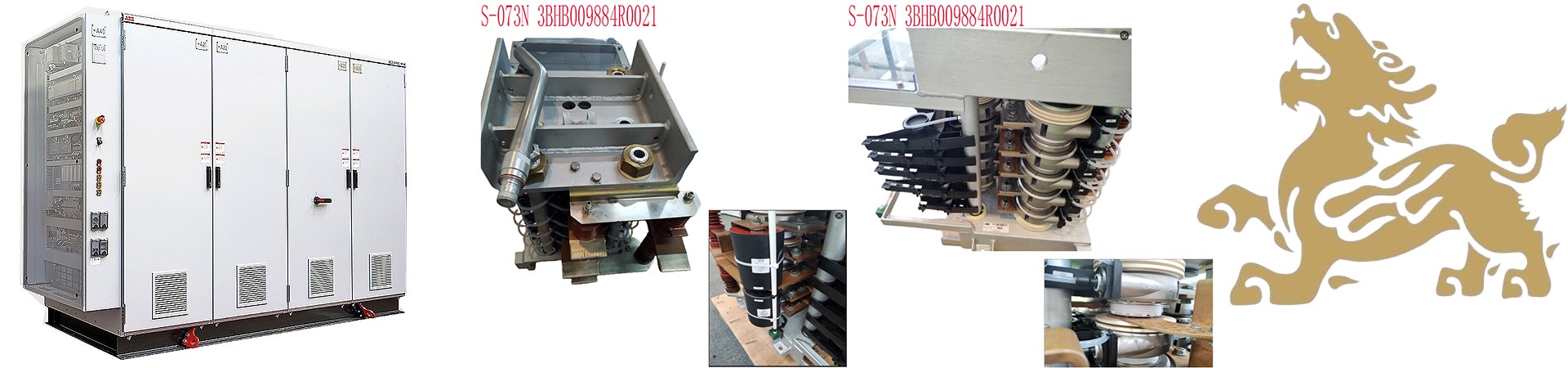
If there is a discrepancy between the product model and the displayed image, the model number takes precedence. Please contact us for specific product photos, and we will arrange to have them photographed at the warehouse for confirmation.
We operate 76 shared warehouses worldwide, so it may sometimes take a few hours to provide you with an accurate response; we appreciate your understanding. Rest assured, we will address your inquiries as quickly as possible.
I. Product Overview
The IS420ESWAH4A is an ESWA series unmanaged industrial Ethernet switch from GE Vernova, designed specifically for the Speedtronic™ Mark VIe and Mark VIeS functional safety control systems. It serves as a core networking device for the IONet (I/O-dedicated network) within the Mark VIe distributed control architecture.
II. Core Operating Principles
Operating within the dedicated Mark VIe IONet, the IS420ESWAH4A provides high-determinism, real-time communication services for the control system using a Layer 2 store-and-forward switching mechanism. Its core operating logic is as follows:
1. Distributed Control Network Forwarding
The Mark VIe system employs a distributed architecture that separates controllers from I/O modules, facilitating data exchange between them via the IONet. Acting as a node switch within the IONet, the IS420ESWAH4A receives control commands from controllers and field data acquired by I/O modules. It performs collision-free forwarding using a store-and-forward architecture, eliminating Ethernet collisions at the hardware level and ensuring the determinism and real-time performance of control data transmission.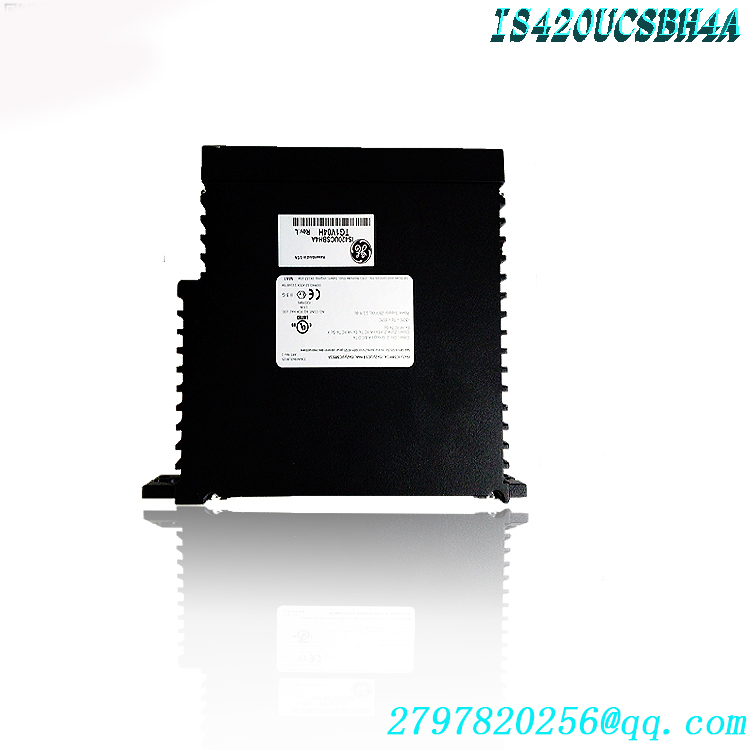
2. Real-Time Protocols and Data Exchange
The switch supports communication based on the EGD (Ethernet Global Data) protocol, which utilizes UDP/IP standards: controllers broadcast control data packets to all I/O modules at a fixed system frame cycle, while I/O modules synchronously transmit back acquired data, such as analog and discrete signals. The IS420ESWAH4A offers microsecond-level forwarding latency, meeting the requirements of industrial applications—such as gas turbine control—that demand millisecond-level response times.3. High-Precision Clock Synchronization
Supports the IEEE 1588 Precision Time Protocol (PTP), enabling clock alignment between the master controller and all distributed I/O modules via the IONet network, with synchronization accuracy reaching ±100 microseconds. This mechanism provides a unified time reference for Sequence of Events (SOE) recording, multi-device coordinated control, and fault tracing, serving as a core foundation for traceability in industrial control systems.
4. Redundancy Architecture Support
Compatible with the three networking modes of the Mark VIe system: Simplex, Duplex, and Triple Modular Redundancy (TMR). In high-reliability scenarios, the IS420ESWAH4A units can be deployed in pairs to establish a redundant IONet; if a single switch fails, the system seamlessly switches to the backup link without interrupting control functions, thereby ensuring the continuity of industrial production.
5. Port Auto-Adaptation Mechanism
All copper ports support 10/100Mbps auto-negotiation, full/half-duplex auto-sensing, and HP-MDIX automatic cable crossover detection. Field deployment requires no distinction between straight-through and crossover cables and no additional configuration—simply plug and play—significantly reducing the complexity and duration of on-site commissioning.
III. Core Technical Advantages
1. Industrial-Grade Environmental Adaptability
Utilizes wide-temperature industrial-grade components, supporting an operating temperature range of -40°C to +70°C and a wide DC power input range of 18–32VDC to accommodate voltage fluctuations in industrial environments. Features a natural convection cooling design and a fanless structure to minimize potential points of failure, while offering robust electromagnetic interference (EMI) resistance for stable, long-term operation in harsh environments such as chemical processing, power generation, and oil & gas.2. High-Determinism Real-Time Communication
The IONet proprietary protocol—specifically designed for industrial real-time control—combined with a store-and-forward switching architecture, fundamentally eliminates Ethernet data collisions. It ensures minimal data transmission jitter and high determinism, fully meeting the stringent latency and reliability requirements of applications such as rotating machinery control and safety interlocking systems..jpg)
3. Flexible Networking Adaptability
Eight copper ports accommodate the high-density connection needs of I/O modules and controllers within local cabinets, while a single-mode fiber port supports long-distance transmission (up to kilometers), enabling remote control links across workshops or plant sites. It supports hybrid copper-fiber networking, adapting to industrial control architectures of various scales.
4. Highly Reliable Industrial Design
Supports both parallel and vertical DIN-rail mounting to suit diverse cabinet layouts. Features industrial-grade connectors, with RJ45 ports rated for a lifespan of over 200 mating cycles. The unit is encased in a rugged industrial housing offering strong shock and dust resistance, delivering a Mean Time Between Failures (MTBF) far superior to that of commercial switches.
5. Functional Safety Compatibility
Deeply compatible with the Mark VIeS safety control system, it supports the construction of functional safety communication links compliant with IEC 61508 standards (SIL2/SIL3 levels), meeting regulatory requirements for safety-critical applications such as gas turbine protection and emergency shutdown systems.
6. Maintenance-Free and Easy to Deploy
An unmanaged design eliminates the need for complex software configuration or firmware upgrades, allowing for immediate operation upon power-up. Standardized DIN-rail mounting enables rapid on-site deployment, significantly lowering the technical barriers and costs associated with system setup and maintenance.
IV. Roles and Value in Application Industries
1. Power Generation Industry (Core Application Area)
Within the Mark VIe control systems of gas and steam turbine generator units, the IS420ESWAH4A serves as the communication hub between the controller and field I/O modules. It handles the real-time transmission of all control signals—including speed control, fuel flow regulation, blade temperature monitoring, vibration protection, and start/stop logic—thereby directly determining the stability and response speed of unit control. In combined-cycle power plants and cogeneration projects, its fiber-optic ports enable long-distance interconnection between the main control room and distributed auxiliary control stations, ensuring reliable exchange of plant-wide control data and supporting efficient, safe plant operation.
2. Oil and Gas Industry
In control systems for rotating equipment—such as compressors, pump sets, and fans—at oil and gas extraction platforms and refineries, the IS420ESWAH4A establishes communication links between remote I/O stations in explosion-proof zones and the main control system. Its single-mode fiber transmission meets the long-distance cabling requirements of hazardous areas, while its strong electromagnetic interference (EMI) immunity ensures uninterrupted communication in chemical processing environments. In monitoring systems for long-distance oil and gas pipelines, it functions as a networking device for distributed monitoring nodes along the route, ensuring the real-time transmission of data (such as pressure, flow, and leakage monitoring) and the delivery of control commands.
3. Process Industries
In distributed control systems across process industries—such as chemicals, metallurgy, and papermaking—the IS420ESWAH4A is deployed at the field control level. It connects various sensors, actuators, and control units, ensuring the real-time exchange of production process parameters and control commands. This supports the stable operation of continuous production processes and enhances the precision of process control.4. High-end Manufacturing and Other Industrial Scenarios
In large-scale automated production lines—such as those for automotive manufacturing and high-end equipment—the device enables the interconnection of multi-station control equipment and robotic systems, supporting coordinated production line control. It also serves as core networking equipment in sectors requiring exceptional environmental adaptability and reliability, such as marine propulsion systems and rail transit traction systems, providing stable communication support.
V. Installation and Operation Methods
1. Pre-installation Preparation
Environmental Check: Confirm that the ambient temperature at the installation site is within the range of -40°C to +70°C. Ensure sufficient heat dissipation space within the cabinet and avoid installation near heat sources or strong electromagnetic sources.
Material Verification: Inspect the IS420ESWAH4A device unit and its accessories—including DIN rail mounting clips (259B2451BVP1 for parallel rail mounting, 259B2451BVP2 for vertical rail mounting), DC power cables, shielded twisted-pair cables, and fiber optic patch cords—to ensure they are intact and undamaged.
Electrostatic Protection: All personnel must wear anti-static wrist straps to prevent electrostatic discharge from damaging the device’s internal circuit boards.
2. Device Installation and Securing
Attach the selected mounting clip to the mounting slot on the back of the switch, ensuring the locking mechanism is securely engaged.
Snap the switch onto the DIN rail and press down gently to confirm it is firmly seated, with no looseness or wobbling.
When installing multiple units side-by-side, maintain a minimum spacing of 2 cm to ensure proper heat dissipation and ventilation.3. Cable Connections
Power Connection: Connect to an 18–32 VDC power supply, strictly observing polarity; the use of shielded power cable is recommended, with the shield grounded at one end.
Copper Cable Connection: Connect local controllers and I/O modules to RJ45 ports using shielded twisted-pair cables; the transmission distance for a single copper cable segment must not exceed 100 meters. Route cables away from power cables to avoid electromagnetic interference.
Fiber Optic Connection: Connect remote links to fiber optic ports using single-mode fiber patch cords; clean fiber end-faces before insertion to ensure they are free of stains or scratches. Maintain fiber bend radii in accordance with industrial standards to prevent signal loss caused by excessive bending.
4. Power-up and System Verification
After applying power, observe the power indicator (steady green light) to confirm the device is powered correctly.
Check the link indicators for each port: a steady green light indicates a successfully established link, while a flashing light indicates data transmission; verify the status of all communication links individually.
Verify the IONet communication status within the Mark VIe system’s ToolboxST configuration software; confirm that the controller can correctly read/write data from all I/O modules and that communication latency and packet loss rates meet system requirements..jpg)
If a redundant network is configured, enable redundancy logic in the system configuration and simulate a single-link failure to verify that the switchover process occurs without interruption or data loss.
VI. Routine Maintenance and Precautions
1. Recommended Routine Maintenance
Visual Inspection: Conduct a visual inspection every six months to confirm that the device housing shows no deformation or scorch marks, cooling vents are free of dust and debris, and the unit is securely mounted.Link Checks: Check port indicator status monthly to confirm all links are functioning normally; periodically measure optical link power levels to ensure they are within the normal range; inspect cable connectors for looseness or oxidation.
Cleaning and Maintenance: Periodically remove dust from ventilation holes using a dry, soft-bristled brush; do not use liquid cleaning agents to wash the equipment directly; use specialized cleaning tools for optical ports to avoid damaging the end faces.
2. Operational Safety Precautions
The equipment is sensitive to static electricity; anti-static gear must be worn when handling the device’s interior or port pins.
Do not plug or unplug power cables while the device is powered on; do not look directly into optical ports during operation to avoid eye damage from laser radiation.
Do not cover the equipment with any objects; blocking ventilation holes can cause overheating, performance throttling, or hardware damage.
Unauthorized personnel must not disassemble the device; there are no field-serviceable components inside, and unauthorized disassembly will void the warranty.
3. Storage and Transportation Guidelines
Store the equipment in a dry, dust-free environment free from corrosive gases; the storage temperature range is -40°C to +85°C.
Use shock-resistant packaging during transport to prevent severe impacts or drops, which could damage the hardware structure or deform the interfaces.
VII. Common Troubleshooting
Power indicator off; device fails to start
Measure the input voltage to confirm it is within the 18–32 VDC range;
Check for correct polarity of the power connections and inspect the power cable for breaks;
Verify the status of the power circuit fuse and switch. Port link indicator is off; communication interrupted
Check if cables are securely connected and the remote device is properly powered on;
Copper link: Test cable continuity and pinout; confirm the transmission distance does not exceed 100 meters;
Fiber link: Check if fiber end-faces are clean, verify transmit/receive orientation, and inspect for fiber breakage.
Severe packet loss or excessive latency
Check for nearby sources of strong electromagnetic interference and ensure data cables are not routed parallel to high-voltage power lines;
Confirm proper device heat dissipation and ensure cabinet temperature does not exceed the 70°C limit;
Verify that cable length and specifications meet transmission standards, and check that optical power levels on fiber links are within the normal range.
Communication issues across network nodes
Check the switch’s power supply and operational status; ensure there is no overheating or system freeze;
In redundant network setups, verify that backup switches and backup links are functioning correctly;
Inspect core backbone cables for damage and confirm that remote controllers and I/O modules are operating normally.
Warehouse discount product recommendation:
IS420UCSBH1A
IS420UCSBH1A-UCSB
IS420UCSCH1A-UCSC
IS420YDIAS1B
IS420PUAAH1A
IS420UCSCH2A-C-V0.1-A
IS420UCSCH1B
IS220YDIAS1A
IS200AEPAH1BKE
IS200TDBSH2ACC
IS220PRTDH1A
IS220PRTDH1A
IS220PSCAH1A
IS220PVIBH1A
IS200JPDEG1A
IS200VPROH1BEF
IS200VPROH2B
More……
-300x300.jpg)
admin –
Core Specifications
Network: Unmanaged switch, GE dedicated IONet (real-time communication bus between controller and IO modules)
Power Supply: Dual redundant 28 VDC (18~36V DC, diode redundant power supply)
Installation: DIN rail mounting
Operating Temperature: -40℃ ~ +70℃
Protocol: Supports IEEE1588 PTP precision clock synchronization (essential for precise timing in gas turbine control systems)
Certifications: Class I Div.2, ATEX Zone2, UL/CE, suitable for explosion-proof areas in power plants
Cooling: Natural convection cooling
II. Role in the Mark VIe System
IONet is the real-time control network between the Mark VIe controller (UCSB/UCSC) and remote IO Packs; IS420ESWAH4A is responsible for:
Expanding IO network interfaces
Achieving long-distance inter-cabinet interconnection via single-mode fiber (control room ↔ gas turbine local IO) (Cabinet)
Isolates electromagnetic interference, ensuring deterministic transmission of gas turbine/steam turbine control signals.
III. Quick Differentiation of ESWA Models in the Same Series (for Convenient Selection)
IS420ESWAH1A: 8 Ethernet ports + 1×100BASE-FX multimode fiber
IS420ESWAH2A: 8 Ethernet ports + 2×100BASE-FX multimode fiber
IS420ESWAH3A: 8 Ethernet ports only, no fiber optic
IS420ESWAH4A: 8 Ethernet ports + 1×LX10 single-mode fiber (10km)
IS420ESWAH5A: 8 Ethernet ports + 2×LX10 single-mode fiber
IV. Comparison of Easily Confused Materials
Part Number Equipment Type
IS420ESWAH4AIONet Switch (your material)
IS420UCSBH4AUCSB Mark VIe Controller Mainboard
When purchasing and verifying spare parts, be sure to check the prefixes ESWA / UCSB, as the two are completely incompatible in appearance and function.
V. Typical Application Scenarios
GE 9FA/6FA Gas Turbine Mark VIe Control System
Combined Cycle Power Plants, Steam Turbine Control
Compressor Drives, Oil and Gas Turbine Units
https://www.weikunfadacai1.com/product/is420eswah4a-ge-mark-vie-ucsb-controller/
admin –
VI. Routine Maintenance and Precautions
1. Recommended Routine Maintenance
Visual Inspection: Conduct a visual inspection every six months to confirm that the device housing shows no deformation or scorch marks, cooling vents are free of dust and debris, and the unit is securely mounted.Link Checks: Check port indicator status monthly to confirm all links are functioning normally; periodically measure optical link power levels to ensure they are within the normal range; inspect cable connectors for looseness or oxidation.
Cleaning and Maintenance: Periodically remove dust from ventilation holes using a dry, soft-bristled brush; do not use liquid cleaning agents to wash the equipment directly; use specialized cleaning tools for optical ports to avoid damaging the end faces.
2. Operational Safety Precautions
The equipment is sensitive to static electricity; anti-static gear must be worn when handling the device’s interior or port pins.
Do not plug or unplug power cables while the device is powered on; do not look directly into optical ports during operation to avoid eye damage from laser radiation.
Do not cover the equipment with any objects; blocking ventilation holes can cause overheating, performance throttling, or hardware damage.
Unauthorized personnel must not disassemble the device; there are no field-serviceable components inside, and unauthorized disassembly will void the warranty.